Wait, Workspace Already Does That? Stop Paying for Calendly!
If you're already paying for Google Workspace, you're likely duplicating costs for scheduling features that are already right under your nose.
Welcome! I'm Morgan, the Training Lead at Live Learning Co.
This is the first guide in my series on maximizing your use of Google Workspace. My goal is to help you reduce costs by showing you how to replace unnecessary paid applications with existing Workspace features.
I see a lot of organizations spending money on extra software — apps that promise to fix one specific problem. But here's the secret: if you're already paying for Google Workspace, you're likely duplicating costs for features that are already right under your nose.
We're starting a new blog series to help you uncover this hidden ROI, and we're kicking things off with one of the most popular scheduling tools out there: Calendly.
The Calendly Trap
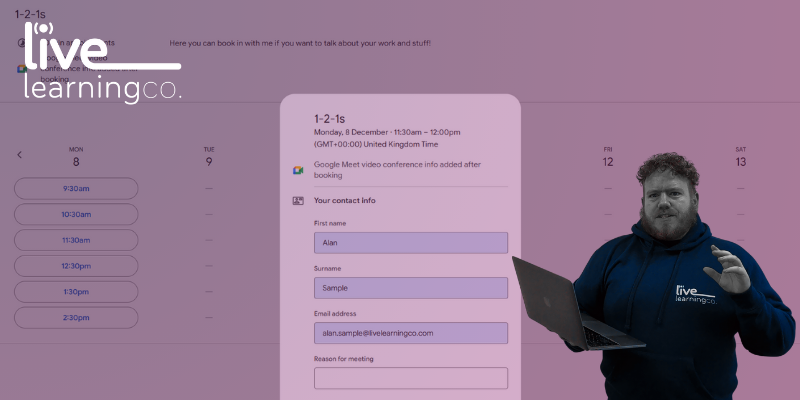
Calendly is a great tool, no doubt. It eliminates the back-and-forth email ping-pong by letting people book time with you based on your availability. But for the core functions that most individuals and small teams need, Google's built-in Appointment Schedules offer everything you require — and it's included in your subscription!
With Appointment Schedules in Google Calendar, you can:
- Share Your Booking Link: Create a professional, shareable link that shows your available time slots.
- Avoid Double-Bookings: It automatically checks all your Google calendars (including your personal one) to ensure you never get booked when you're busy.
- Set Your Rules: Easily set buffer time between meetings, limit the maximum number of bookings per day, and specify other calendars for it to check before booking.
- Get the why ahead of time: Add custom questions to your booking form to get all the necessary details upfront.
- Automate Reminders: Set up automated email reminders so people show up on time.
| Action | Calendly | Google Calendar |
|--------|----------|-----------------|
| Automate reminder | Yes (basic on free, advanced on paid plans) | Yes |
| Avoid double bookings | Yes | Yes |
| Set your rules (availability, buffers, limits) | Yes (very granular) | Yes |
| Share your booking link | Yes | Yes |
| Create multiple event types | Yes | Yes (no add-on required) |
| Integrates directly with Gmail | No | Yes (native — propose times directly in email + AI "Help me schedule") |
| Cost to access key features | No (most useful features locked behind paid plans) | Yes (included in Workspace or free Google account) |
| Security & admin overhead | No (extra SaaS tool to manage) | Yes (single ecosystem; no extra onboarding or approvals) |
| Ease of adoption & training | No (new tool, new UI, training required) | Yes (zero onboarding — team already uses Gmail & Calendar) |
The Gmail Superpower: Propose Times
Beyond sharing your main booking link, the real productivity gain comes from the seamless integration in Gmail. When you're composing an email, instead of typing out a list of times, you can use the "Help me Schedule" feature while writing an email. In the email window, look for the small calendar icon with a star in the toolbar at the bottom.
This tool automatically pulls your real-time availability from Google Calendar and automatically chooses times that you're free. You can still adjust these but it takes away a lot of the headache.
Once you send the email, the recipient simply clicks their preferred slot, and the meeting is instantly booked on both your calendars. It's scheduling magic without ever leaving your inbox!
The Myth of External Scheduling
One of the biggest concerns we hear is: "Does this only work with other Google users?" Absolutely not! Your booking link works for anyone, whether they are using Microsoft 365, Outlook, Yahoo, or any other email system. They simply click your link, choose a time, enter their details, and the event automatically populates both your Google Calendar and their external calendar.
Unlock Your Full ROI
The main difference between having the feature and using the feature is often simply knowing it exists and understanding how to set it up.
If your team is paying for an outside scheduling tool, you are actively decreasing the Return on Investment you are already getting from Google Workspace. Ready to stop throwing money away on redundant apps?
At Live Learning Co., we specialize in teaching teams how to master these underutilized features. Our customized Google Workspace training sessions can quickly turn your team from Workspace users into Workspace power-users, ensuring you get maximum value from the tools you already own.
Ready to stop paying for Calendly and start using the tools you already have?
Morgan d'Arcy | Training Lead
Useful Links:
Related Articles
Beyond the Hype: Meet Your New Digital Expert -- Gemini Gems
What if you didn't have to write AI prompts at all? Gemini Gems are the antidote to AI fatigue -- customised AI experts that remember your context, rules, and preferences.

Beyond the Hype: Practical Gemini Wins for Busy Leaders
AI has become the ultimate buzzword, but 'AI fatigue' is real. Here are simple, actionable tips you can use today to take the guesswork out of Gemini.